
How to Start a Blog: A Comprehensive Guide for Beginners
A step-by-step guide to help you create, launch, and grow a successful blog, from choosing a name to publishing your first post.

Sections
A blog is a type of website focused on written content, often presented from a personal perspective to connect directly with readers. Starting a blog can help you share your story, build a community, or even create a source of passive income. This guide provides a clear path for beginners to launch a blog with basic computer skills.
Understanding the Purpose of a Blog
A blog primarily features written articles, or "posts," presented in a conversational style. This format allows creators to share knowledge and build a direct connection with their audience through interactive comment sections. Starting a blog allows you to have a public voice, share experiences, and engage with a community of like-minded individuals.
Many successful blogs are built on a passion for a specific topic rather than professional writing expertise. Readers often seek personal perspectives and real-world experiences, including mistakes and lessons learned. The key requirement for a successful blog is a genuine interest in the subject matter you choose to write about.
Foundational Decisions for Your New Blog
Before you can get your blog online, you must make two critical decisions: your topic and your name. These choices will define your blog's identity and direction.
Choosing a Blog Topic
Your blog's topic should be something you are genuinely passionate about. This passion will sustain your writing and engage your readers. Consider brainstorming ideas from your life experiences, hobbies, or professional knowledge.

Whether you write about cooking, travel, technology, or personal growth, a clear focus helps attract a dedicated audience. You can also create a personal blog that covers a variety of topics from your daily life and thoughts.
Selecting a Blog Name and Domain
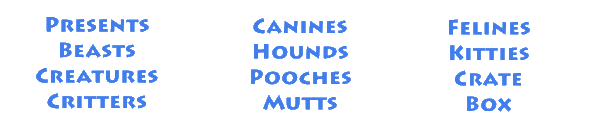
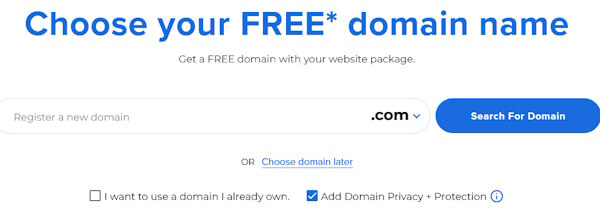
Your blog's name, or domain name, is its web address. A good name is descriptive and gives potential visitors an immediate sense of your blog's subject. For example, a blog about recipes might include words like "food," "meals," or "kitchen."

If your preferred ".com" domain is taken, consider alternatives. You can try a different extension like ".net" or ".org," add small words like "the" or "my," or use dashes between words to find an available name.

A Practical Workflow for Launching Your Blog
Getting a blog online involves a few technical steps. This workflow breaks down the process into manageable actions for setting up a functional blog.
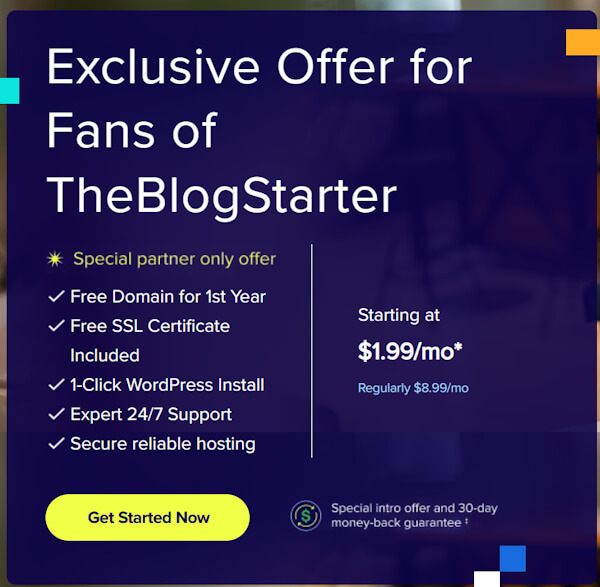
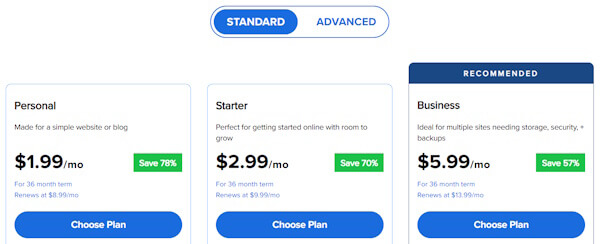
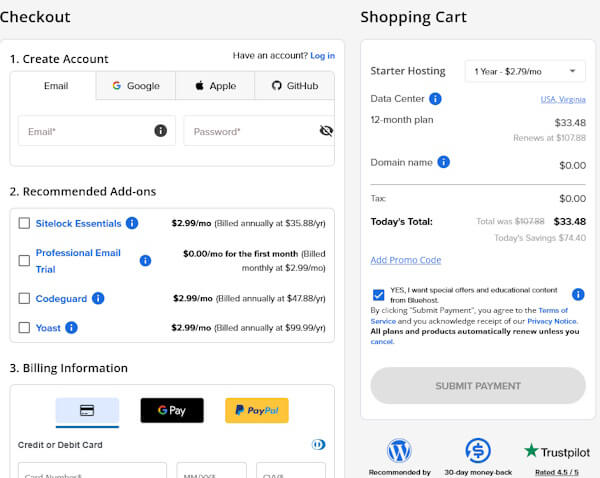
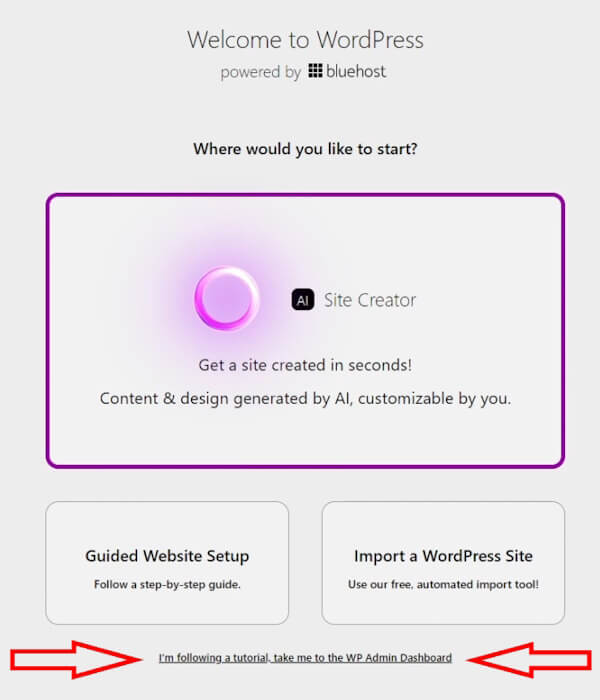
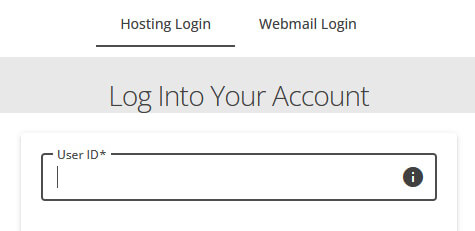
- Step 1: Register a Domain and Secure Hosting. A domain name is your blog's address, and a web host is a service that stores your blog's files and makes them accessible online. You must have both, and many hosting providers offer them together as a package.
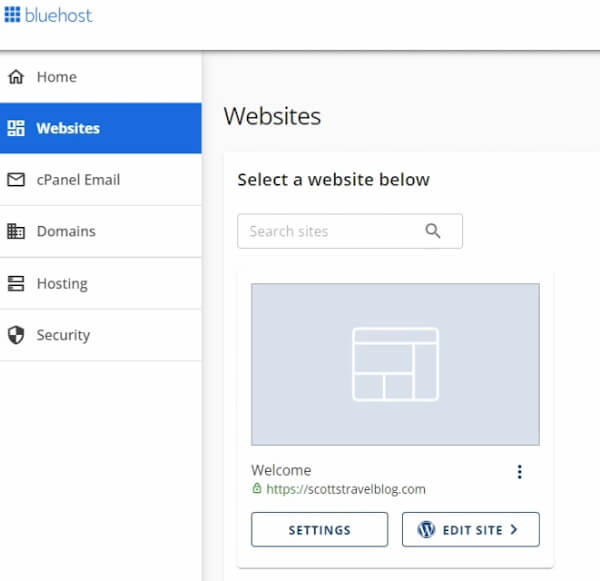
- Step 2: Install Blogging Software. A content management system (CMS) is the software used to build and manage your blog. WordPress is a popular open-source platform known for its flexibility and ease of use, and most web hosts provide simple, automated installation for it.
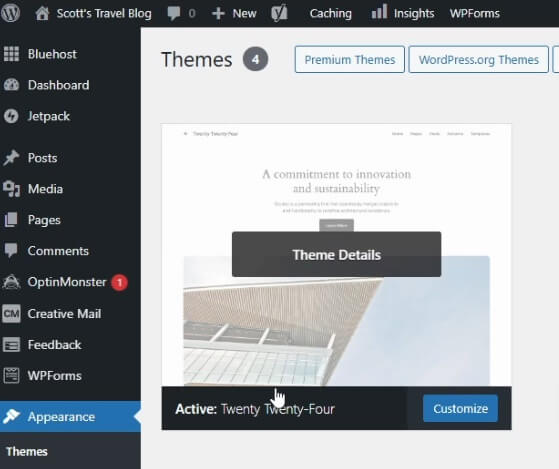
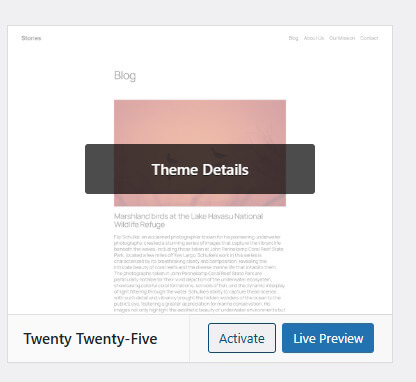
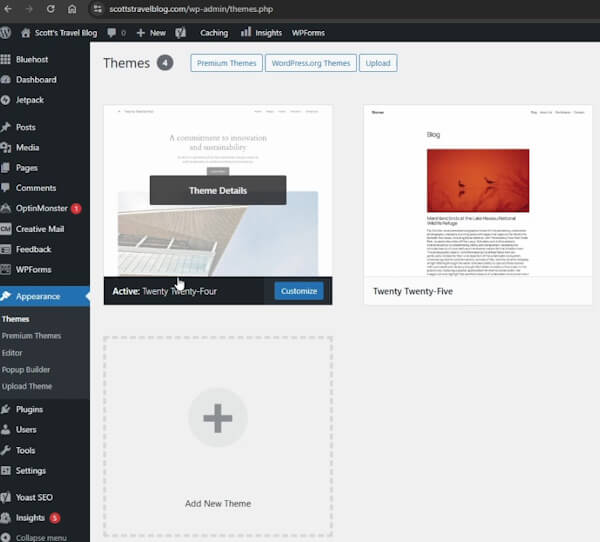
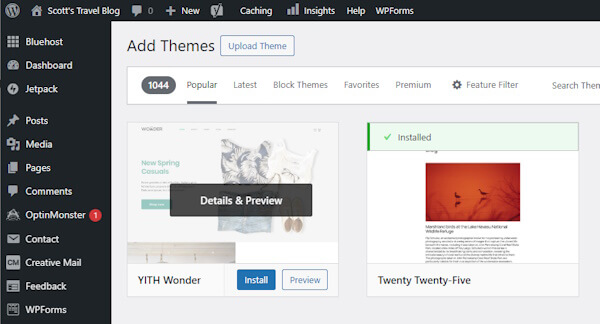
- Step 3: Customize Your Blog's Design. The visual design of your blog is controlled by a "theme." You can choose from thousands of free or premium themes to change your site's layout, colors, and fonts with a few clicks without needing to code.
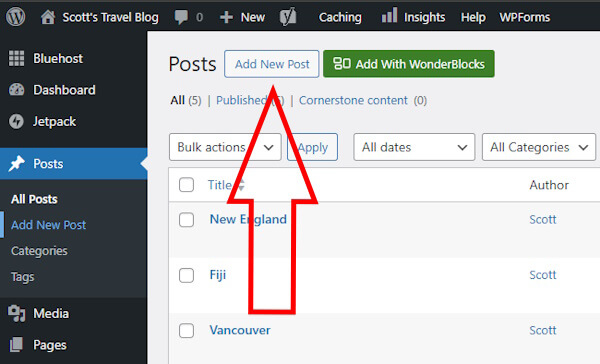
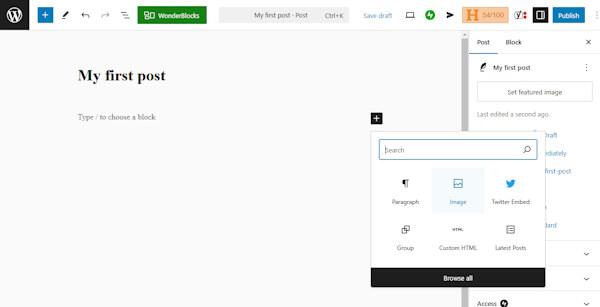
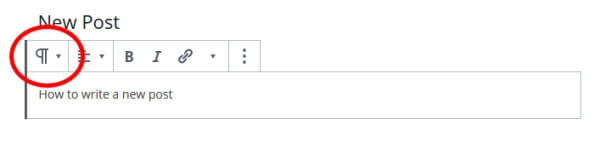
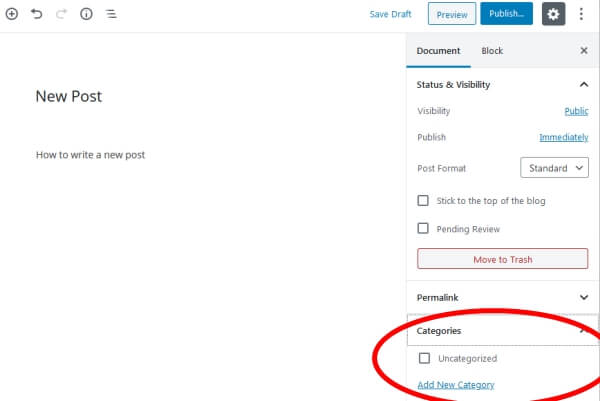
- Step 4: Write and Publish Your First Post. Using your blogging software's editor, you can create your first piece of content. Add a title, write your text, and upload images to support your message. When finished, you can publish it to make it live for visitors to see.
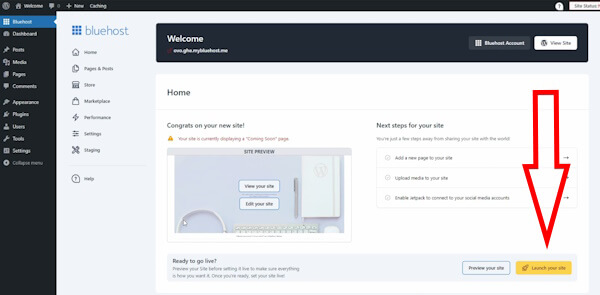
- Step 5: Make Your Blog Public. Many setups start with a temporary "coming soon" page. Once you have some initial content ready, you can officially launch your site, removing the placeholder and making your blog accessible to everyone on the internet.
Developing a Content Strategy
A successful blog requires more than just a good design; it needs a thoughtful content strategy. This includes a mix of essential, unchanging pages and a regular stream of new posts.
Essential Static Pages
Static pages contain foundational information that rarely changes. These pages build trust and provide visitors with important context about you and your blog.
- About Page: Share your story, your mission, and why you are passionate about your topic.
- Contact Page: Provide a way for readers to get in touch, such as a contact form or links to social media profiles.
- Disclaimer Page: If you plan to monetize your blog, you must disclose how you earn income, such as through affiliate links or endorsements.
- Privacy Policy: If you collect any data from visitors, you must explain how you collect, use, and protect it.
Creating Dynamic Blog Posts
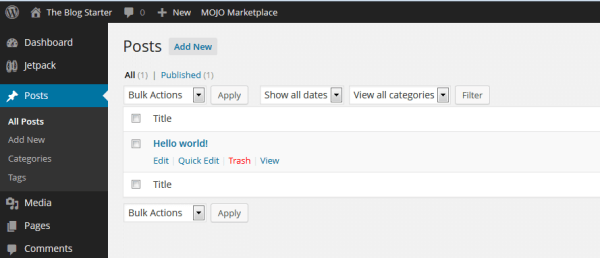
Your blog posts are your dynamic content—the regularly updated articles that keep readers coming back. To build a following, aim for a consistent publishing schedule, such as one new post per week.
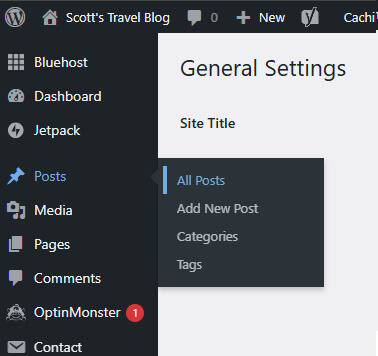
Every post should be well-crafted. Use a compelling title, break up long blocks of text with headings and short paragraphs, and include high-quality images. End each post with a question to encourage comments and build engagement with your readers.
Promoting Your Blog to Grow Readership
After creating great content, the next step is to attract visitors. Promoting your blog is essential for building an audience, especially in the early stages.
Leverage Social Media
Create profiles on social media platforms where your target audience spends their time, such as Instagram, X, Facebook, or Pinterest. Share links to your latest posts, but also post other relevant content to provide value and engage with your followers.
Engage with Your Niche Community
Identify other blogs in your subject area and participate in their discussions. Leaving thoughtful, constructive comments can introduce you to a new audience and help you build relationships with other bloggers. Over time, this can lead to collaboration opportunities like guest posting.
Build an Email List
Email marketing is a powerful tool for retaining readers. By collecting visitors' email addresses (with their permission), you can create a mailing list to notify them of new posts. This direct line of communication helps turn casual visitors into loyal followers.

Optimize for Search Engines
Search Engine Optimization (SEO) helps your blog appear in search results. Start by submitting your blog to Google Search Console and Bing Webmaster Tools. Use clear headings, organize content into logical categories, and ensure your URLs (permalinks) are descriptive and clean.
Monetization Strategies for Bloggers
Once your blog has a steady stream of traffic, you can explore various ways to generate income. It often takes six months to a year to build an audience large enough for meaningful monetization.

Sell Advertising Space
You can sell advertising space directly to companies or use an ad network like Google AdSense. Ad networks automatically place relevant ads on your blog, and you earn revenue when visitors see or click on them.
Use Affiliate Marketing
Affiliate marketing involves promoting products or services and earning a commission on any sales generated through a unique link on your blog. Always disclose your affiliate relationships to maintain transparency with your readers.
Offer Your Own Products or Services
Selling your own products is a direct way to monetize your expertise. This can include digital downloads like ebooks and online courses or physical products and consulting services related to your blog's niche.
Create a Membership Program
You can offer exclusive content to a dedicated part of your audience through a paid membership. This might include private forums, in-depth tutorials, or direct access for consultations, providing a recurring revenue stream.

Common Pitfalls When Starting a Blog
Many new blogs fail to gain traction due to avoidable mistakes. Understanding these common challenges can help you set realistic expectations and stay on course.
- Giving Up Too Soon. Many bloggers quit when they don't see immediate traffic or income. The corrective principle is to have patience and commit to at least a year of consistent effort to allow your blog time to grow.
- Inconsistent Posting. Long gaps between new articles cause readers to lose interest. The corrective principle is to create and follow an editorial calendar to ensure a steady flow of fresh content.
- Low-Quality Content. Publishing unoriginal, poorly written, or unhelpful posts will not build a loyal audience. The corrective principle is to focus on creating valuable, well-edited content that reflects your unique perspective and expertise.
- Aggressive Monetization. Overwhelming your site with ads can drive visitors away. The corrective principle is to introduce monetization methods gradually and prioritize the user experience above all else.
Frequently Asked Questions About Blogging
Here are answers to some common questions new bloggers have when getting started.
What makes a blog successful?
A successful blog is built on the creator's passion, knowledge, and ability to produce engaging content. Consistently providing valuable information and interacting with your community are key factors in building a following.
How much does it cost to start a blog?
While some platforms offer free blogs on a subdomain, a self-hosted blog offers more control and a more professional appearance. The primary costs are for domain registration (around $15/year) and web hosting, which can be less than a few dollars per month.
Is WordPress a good platform for beginners?
Yes, self-hosted WordPress is highly recommended for beginners. It is easy to use, does not require coding knowledge, and offers extensive customization through free themes. It also has strong built-in features that are beneficial for search engine optimization.
How often should I post new content?
When starting, aim to publish at least one high-quality post per week to build momentum and attract an audience. Consistency is more important than frequency, so choose a schedule you can maintain over the long term.
Related Resources
Further Reading
Related Articles

What Is a Blog? A Guide to Its Purpose, Types, and Benefits
Learn what a blog is, how it differs from a website, and the key benefits of blogging for individuals and businesses. Explore common types and core components.

Analyzing Digital Content Formats: A Marketer's Guide to Understanding Online Publication Trends
Learn how to analyze competitor content, from microblogs to corporate sites, to extract marketing insights and build successful campaign hypotheses.